Shop Scheduling That
Actually Makes Sense
Ditch the whiteboard. Support Lane gives your auto repair shop a visual Kanban board to track every job from intake to completion, with custom pipelines that match the flow of your shop.
Visual job shop scheduling for your garage
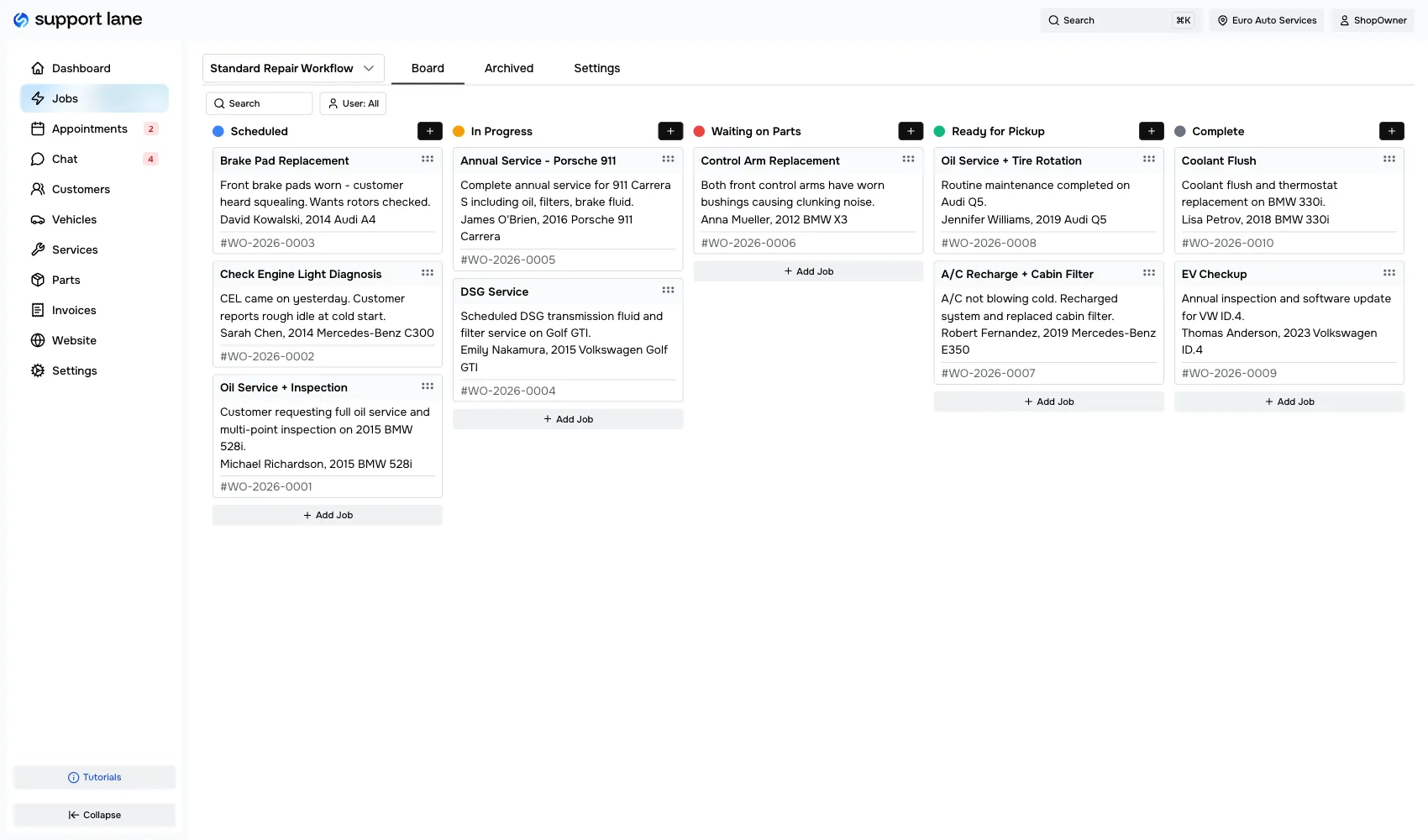
Every repair job in your shop lives on a board. Columns represent stages. Drag a card to move it forward. It's that simple.
Create & move jobs
Add a new job with customer, vehicle, and description. It lands in your first pipeline stage, then moves through in progress, waiting on parts, ready for pickup, and complete.
Complete & invoice
When the work is done, mark it complete and generate an invoice directly from the job — no separate tool needed.
Manage appointments
Bookings land on a calendar you can see at a glance. Confirm the ones that work, reject the ones that don't, and mark them complete once the vehicle is out the door.
Every job, at a glance
Each card on the board shows the job title, customer name, vehicle, and job number. Click into any card to see the full detail: services, notes, timeline, and status controls. Whether you run a two-bay garage shop or a ten-lift operation, the board scales with you.
- Filter by technician to see who is working on what
- View all jobs across the shop at once
- Job numbers on every card
- One-click into any job for full detail
Full context on every job
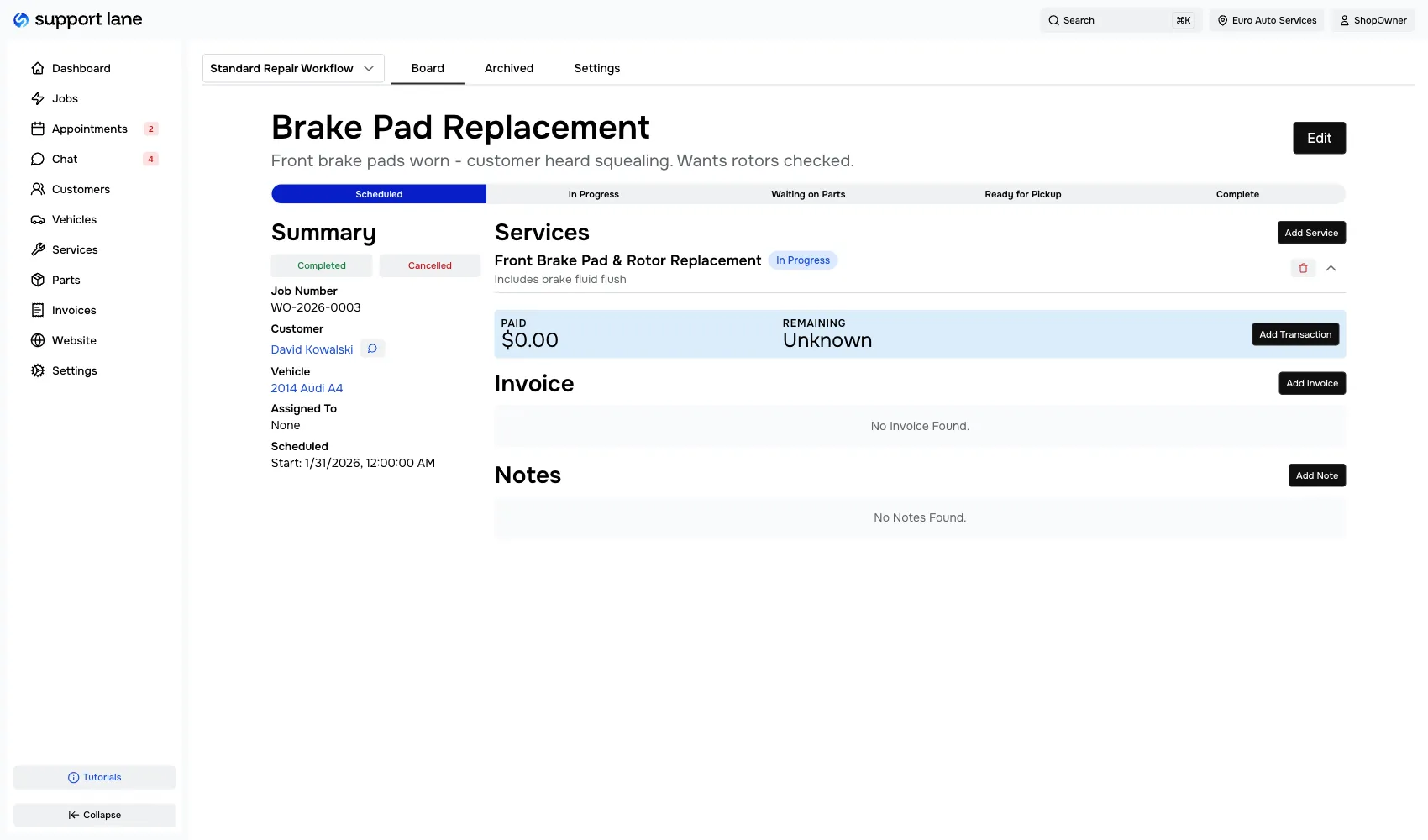
Open a job to see its complete picture. The summary shows the customer, vehicle, assignment, and scheduled date. The services panel lists every line item. Notes let your team communicate without leaving the app.
- Track progress with the pipeline stage bar
- Add services from your template catalog
- Leave internal notes for team communication
- Mark jobs as completed or cancelled
Know your week before it starts
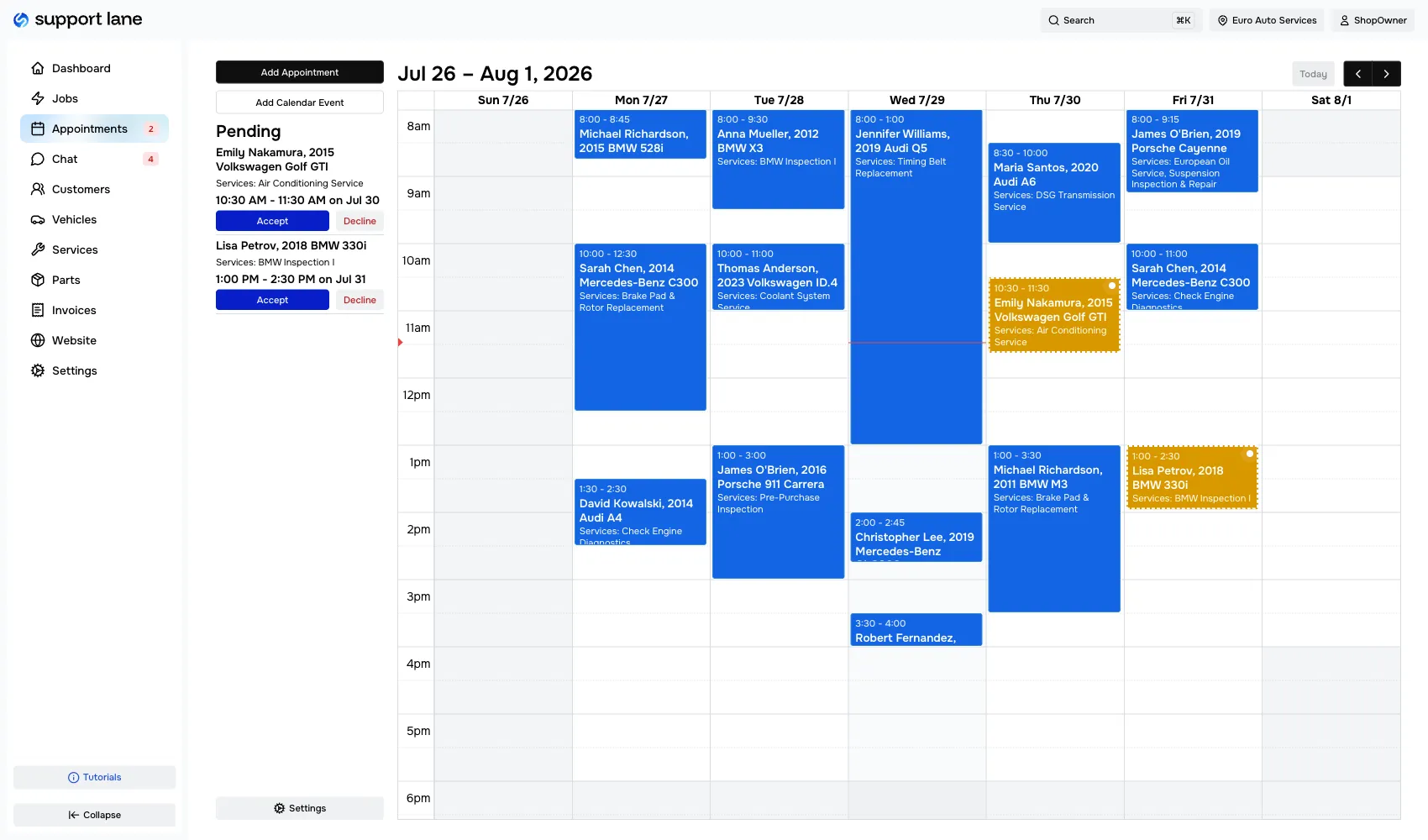
Every booking lands on a calendar you can see at a glance. Confirm the appointments that work, reject the ones that don't, and mark them complete once the vehicle is out the door. Because customers can only pick from slots you have open, your calendar stays realistic instead of overbooked.
- See every appointment on one calendar
- Confirm, reject, or complete with a click
- Customers only see times you actually have available
- Know what your day and week look like before they start
- No double bookings from a phone call and an online request
Scheduling built for auto repair
Whether you call it shop management scheduling, job shop software, or a garage shop app, Support Lane is designed from the ground up for independent auto repair and mechanic shops that need a better way to track work.
Take control of your shop schedule
See every job, every stage, every technician — all on one board. Try Support Lane free.