Shop Management Software to
Simplify Auto Shop Life
and Maximize Profits
Support Lane is the all-in-one auto shop management software built for independent shop owners. Everything your mechanic shop needs in a single app — job tracking, scheduling, invoicing, online booking, and a customer-facing website.
Manage your auto shop from a single platform
Use smarter, faster workflows to grow your business and save time. No more juggling paper jobs, spreadsheets, and separate invoicing tools.
Job scheduling
Drag-and-drop Kanban board to track every job through your shop. Custom pipelines, technician assignment, and real-time status updates.
Invoicing & estimates
Create professional estimates and invoices directly from the job page. Track payments, set due dates, and send invoices electronically.
Online booking
Let customers book appointments right from your website. Automated confirmations, service selection, and schedule management built in.
Customer management
Keep a complete record of every customer, their vehicles, service history, and contact details. Search and access information instantly.
Your own website
Every shop gets a professional, customer-facing website with services, testimonials, and contact info — fully editable from your dashboard.
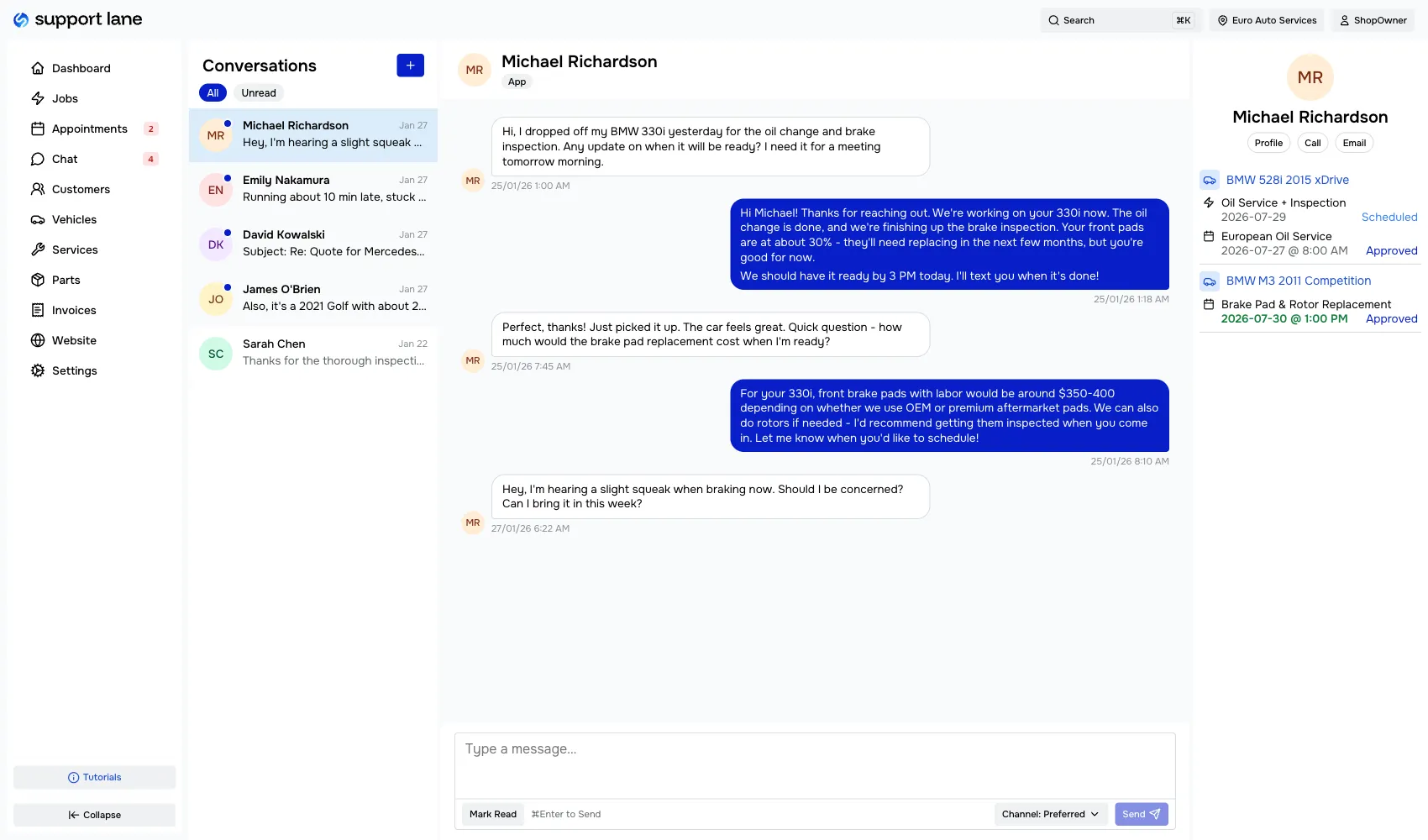
Customer chat
Text and email your customers from one window, with their appointments and vehicles right beside the conversation. Send invoices without leaving the thread.
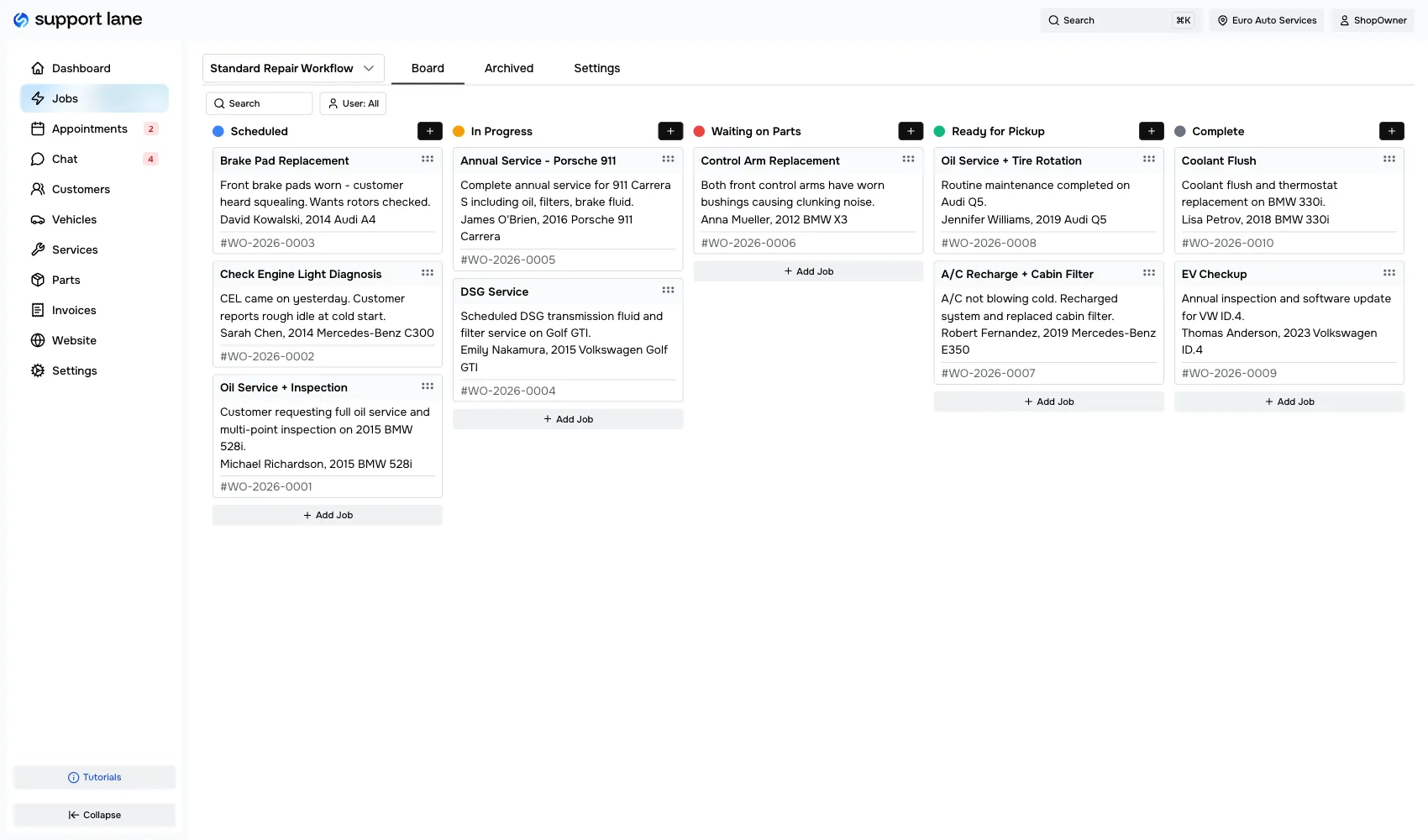
A visual board for every job in your shop
See every job at a glance on a drag-and-drop Kanban board. Move jobs through stages like scheduled, in progress, waiting on parts, and complete — whatever fits your workflow.
- Custom pipelines for different job types
- Filter by technician or status
- Full job detail with services, notes, and history
- Assign jobs to team members
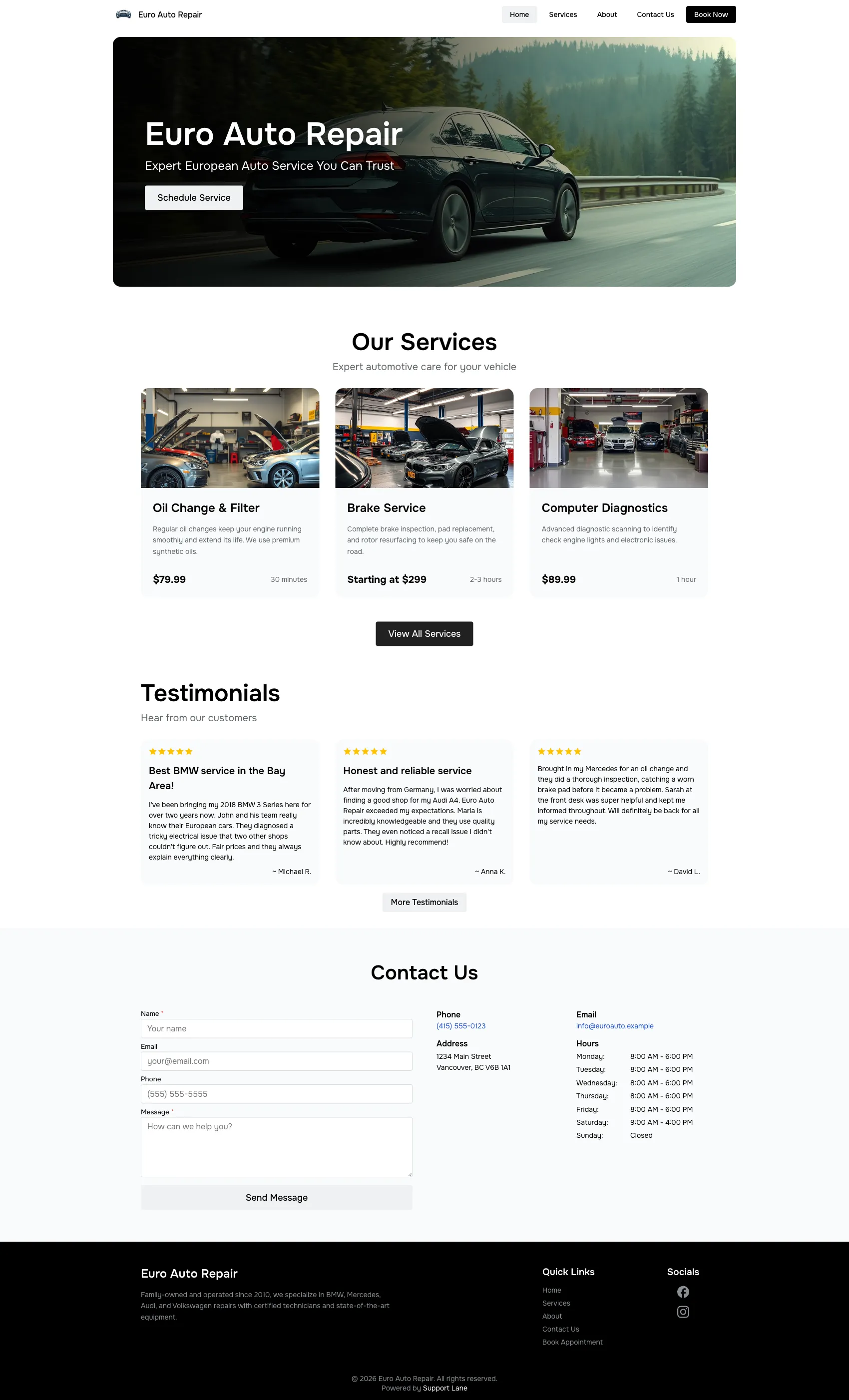
A professional website for your auto shop
Every shop on Support Lane gets a fully customizable customer-facing website. Showcase your services, collect testimonials, and let customers contact you — all managed from your dashboard.
- Editable homepage, services page, about page, and contact page
- Customer testimonials and reviews
- Service listings with pricing
- Online booking integration
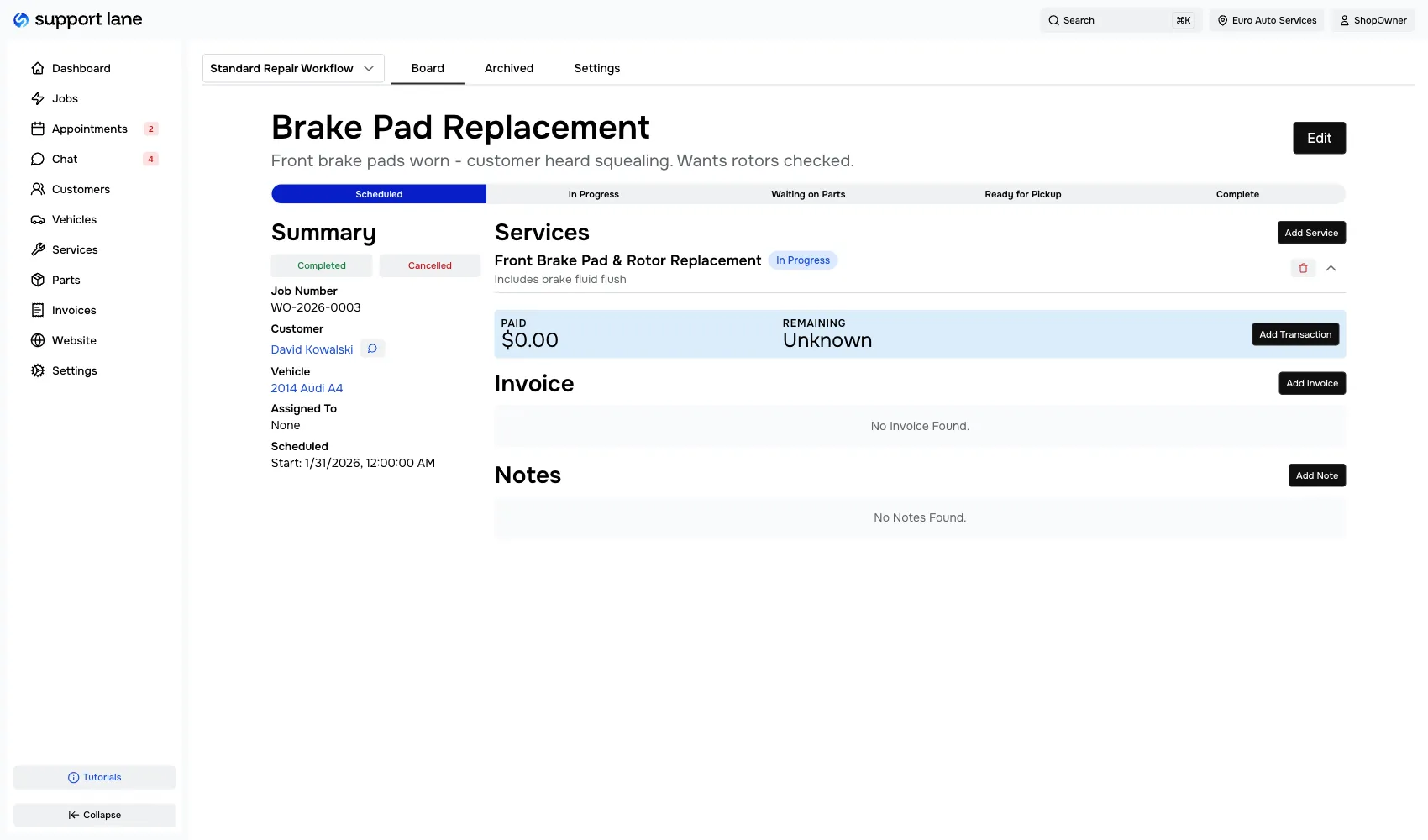
Estimates and invoices, built into the workflow
Stop switching between your shop management tool and a separate invoicing app. Support Lane lets you create estimates, convert them to invoices, apply taxes, and track payments — all from the job page.
- Professional invoice templates
- Estimate-to-invoice conversion
- Tax calculation and payment tracking
- Send invoices electronically to customers
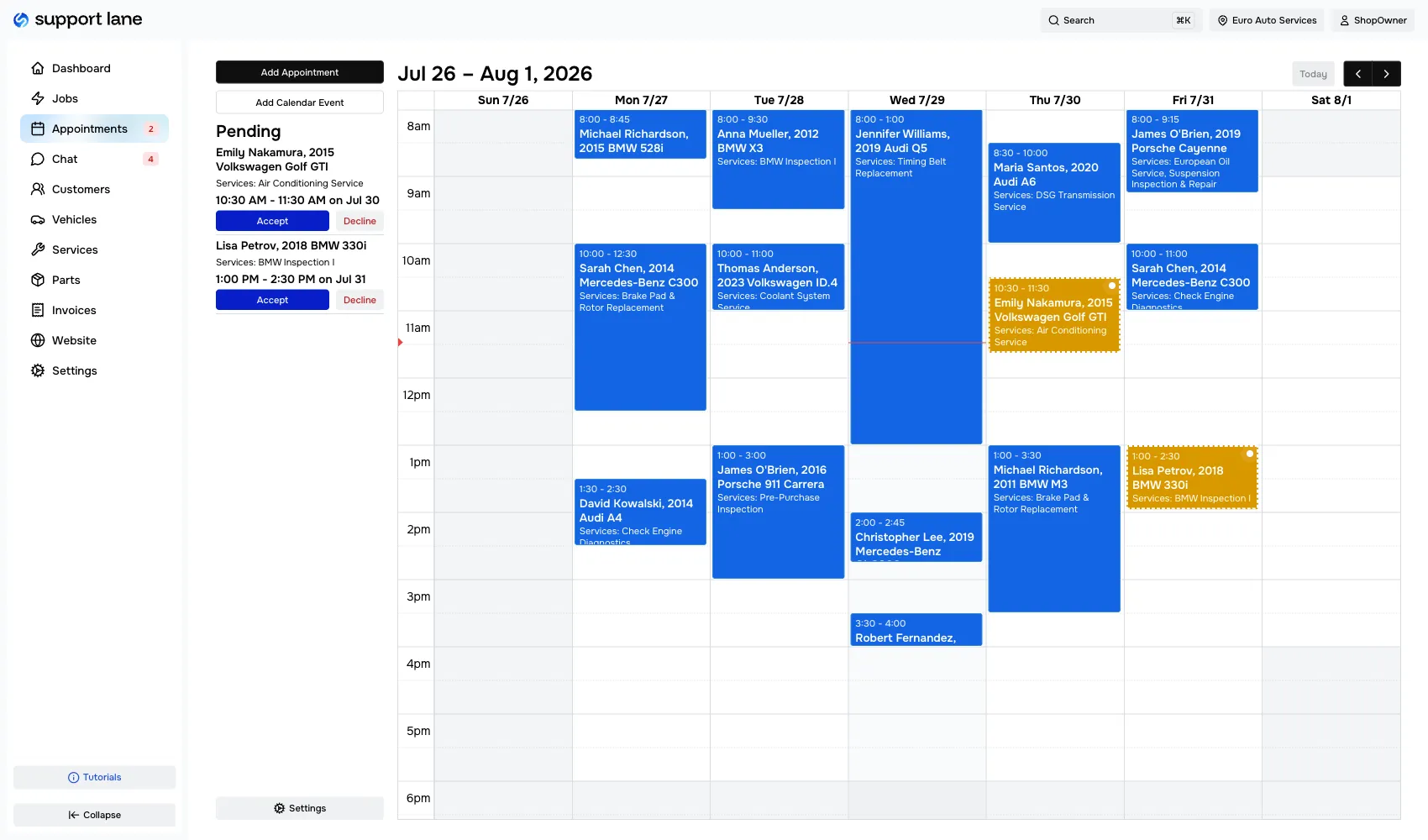
Know your week before it starts
Every booking lands on a calendar you can see at a glance. Confirm the appointments that work, reject the ones that don't, and mark them complete once the vehicle is out the door. Customers can only pick from slots you have open, so your calendar stays realistic instead of overbooked.
- See every appointment on one calendar
- Confirm, reject, or complete with a click
- Customers only see times you actually have available
- No double bookings between the phone and your website
Every customer conversation in one window
Talk to your customers by text or email from the same thread — they reply however they prefer, and you see it all in one place. Their appointments and vehicles sit right beside the conversation, so you have the context you need without switching screens.
- Text and email in a single conversation
- Customer appointments and vehicles beside the thread
- Send invoices without leaving the chat
- Keep a full history of what was said and when
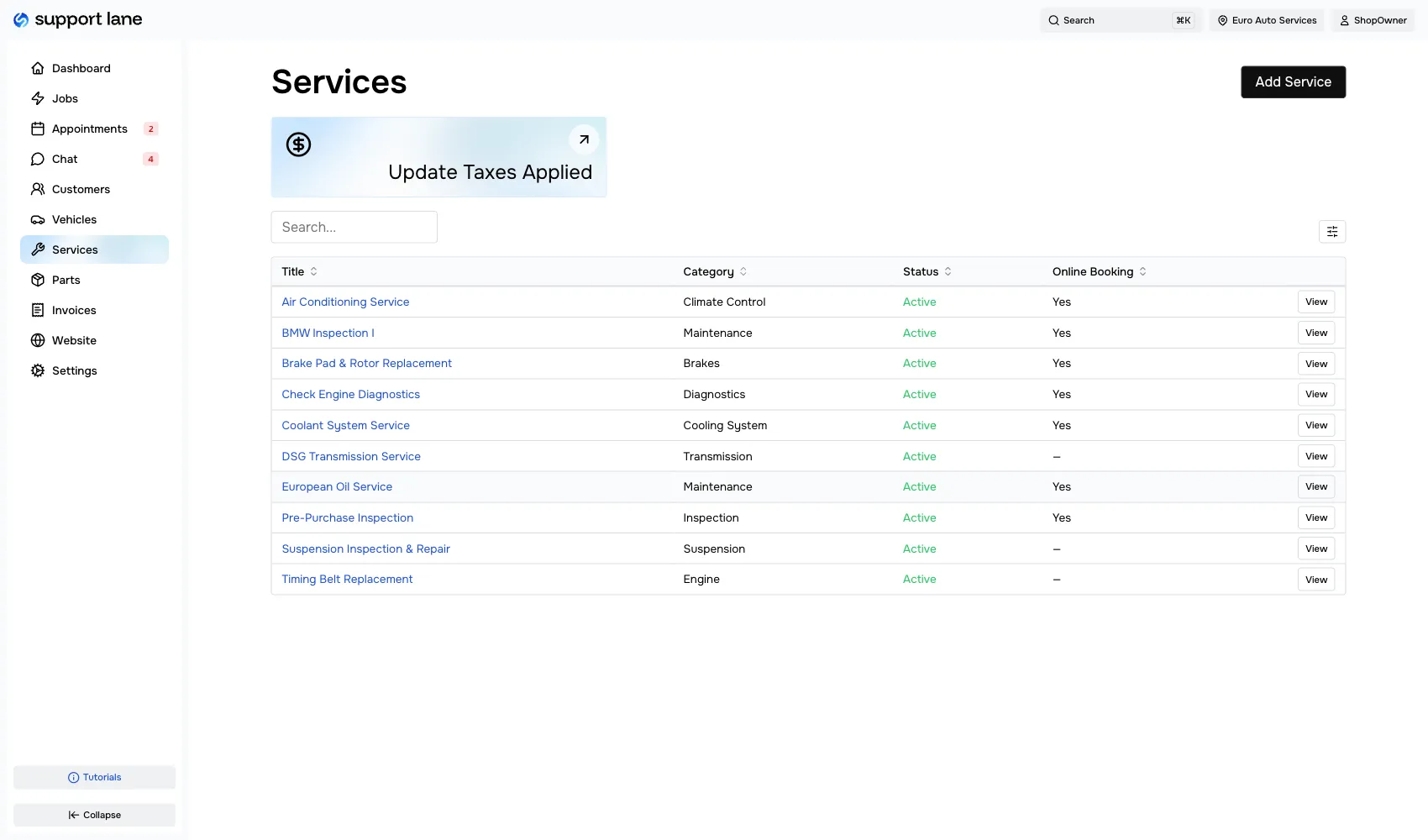
Set up once, reuse forever
Build a catalog of service templates with parts, labor, fees, and sublets pre-configured. When you start a new job, just pick a template and go — no more re-entering the same details.
- Parts, labor, fees, and sublets per template
- Categories for easy organization
- Toggle services for online booking availability
- Internal notes for your team
Ready to modernize your shop?
Join the independent auto repair shops already using Support Lane to manage their jobs, customers, and invoices in one place.
Frequently Asked Questions
Common questions shop owners ask before switching to Support Lane.
What does shop management software do for an auto repair shop?
Shop management software consolidates job tracking, scheduling, invoicing, customer records, and online booking into one app. A car booked online on Monday becomes the same record you invoice on Friday, with nothing re-typed in between.
Support Lane uses a drag-and-drop Kanban board as the home screen. Every job is a card you move through your pipeline stages, and each card carries the customer, the vehicle, the services, the notes, and the invoice.
How much does Support Lane cost?
Support Lane is free for your first year — every feature, no credit card, and nothing held back for a higher tier. That includes the jobs board, invoicing, payments, the unified inbox, online booking, and your customer-facing website.
Paid plans start after your first year. We'll give you pricing and plenty of notice before then, and there are no contracts or cancellation fees.
Can I use Support Lane if I'm not technical?
Yes. The interface is built for shop owners, not software engineers. If you've used a whiteboard, you already understand the jobs board.
Drag a card to move a job forward. Click into it to add services, leave a note, or send an invoice. Most shop owners are running their day out of Support Lane within a few hours.
Does Support Lane work for solo mechanics and multi-bay shops?
Both. Support Lane is built for independent shops, from a one-bay solo operation to a ten-lift garage.
Build pipelines that match how your shop actually works, assign jobs to technicians, and filter the board by who is working on what. A solo mechanic runs one simple pipeline; a larger shop runs several and filters by tech.
Can I text and email my customers from Support Lane?
Yes. Support Lane includes a unified inbox for two-way texting and email. Every conversation lives in one thread per customer, so anyone on your team can pick it up without asking who talked to them last.
Set a preferred channel per customer and Support Lane sends on it automatically, or choose text, email, or both for a given message. Appointment requests and website contact forms land in the same inbox.
Does Support Lane notify customers about their appointments?
Yes. Customers are notified automatically when an appointment is requested, approved, rescheduled, or cancelled, and they get a reminder before the visit. Your shop is notified too, so a new request never sits unseen.
Notifications go out by text or email based on the customer's preference, and every one is recorded in the conversation thread alongside the appointment.
How do customers pay their invoices?
Send a payment link and the customer pays by card from their phone, before they arrive or after they drive off. In the shop, charge the card on a connected reader and the payment posts to the invoice on its own.
Either way, the payment, the card details, and the receipt are recorded against the job. You can see what is paid, pending, or outstanding without leaving the job.
Is the customer-facing website really included?
Yes. Every shop on Support Lane gets a customer-facing website with a homepage, services, about page, contact details, and testimonials, all editable from your dashboard. No web developer and no separate hosting bill.
Online booking is built into it. Customers pick a service and a time, the request lands in your inbox, and the approved appointment shows up on your board. You control which services can be booked online and which still need a phone call.